Playing In-Store Radios
You gain instant access to our ten In-Store Radios as soon as your subscription is activated.
To access the In-Store radios you will first need to access your customer account on Jamendo Licensing.
- Log-in to your customer account on Jamendo Licensing.
- Click on In-Store Radio from the Account Menu in the top right corner of the screen
- Your login information will be stored in the Your Information section.
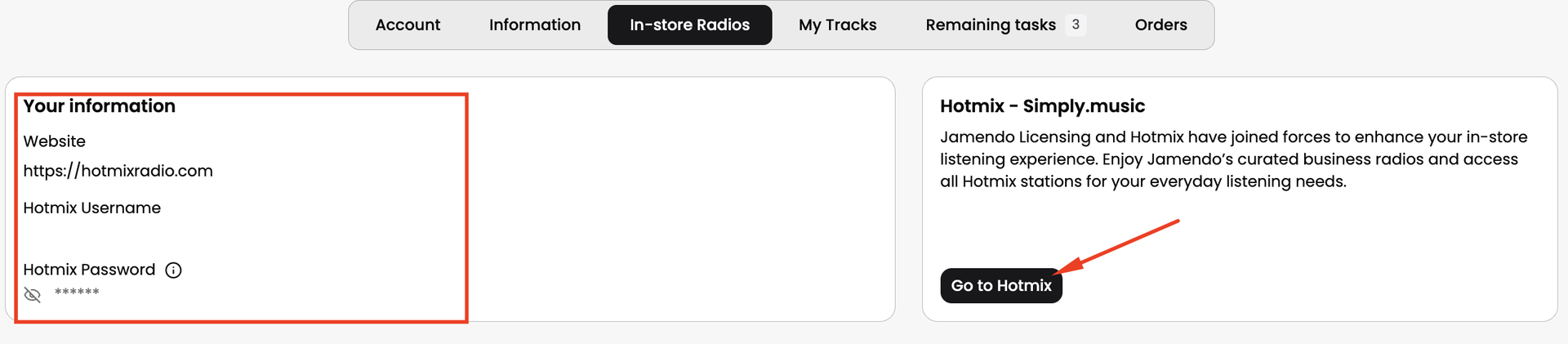
- Navigate to The Hotmix Radio mobile apps or Website. They can be found on the following links:
- Log into your Hotmix with the username and password from Step 3.
- Once logged in, it will be able to play the radio stations in the In-Store radios tab.
With your In-Store Subscription, you may play only the ten In-Store radios in your establishment.
You still have the option to listen to Hotmix's 70 radio stations for personal use, but please refrain from playing them in your commercial space, as they do not provide royalty-free music and you may be asked to pay an additional fee by your local collection society.
Download your License Certificate
When you've finalized the check out process and successfully subscribed to the InStore Radio service, a License Certificate will be generated with your establishment's information. The certificate serves as verification that you are entitled to play music from Jamendo's In-Store radios within your establishment. The license certificate is valid for 12 months, allowing you to play the ten Jamendo In-Store radios for one year at your venue.
To download your In-Store License Certificate:
- Log-in to your customer account on Jamendo Licensing.
- Click on In-Store Radio from the Account Menu in the top right corner of the screen
- Next, click on In-Store where you can access all your In-Store licenses.
- Next to each In-Store license you will see the download button that will allow you to download the certificate.
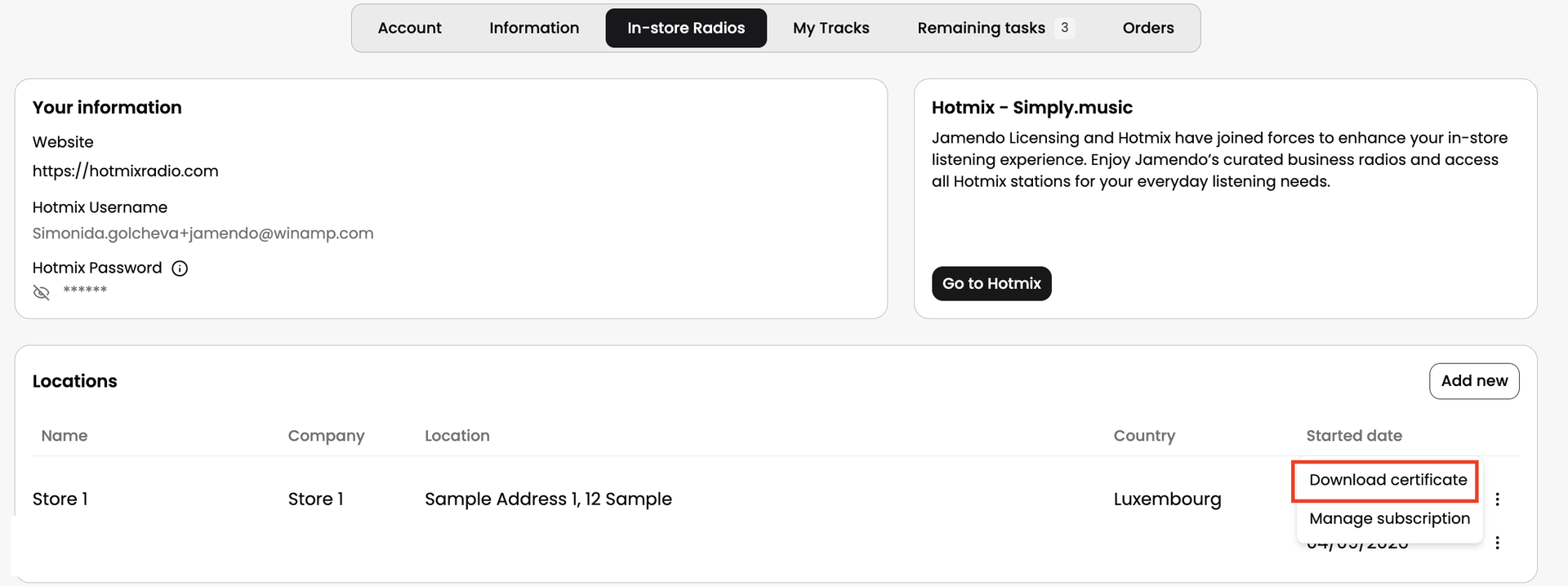
The In-Store certificate exempts you from royalty payments to the collecting society of your country. Simply show/send them the certificate of your license as proof.
Modifying your License Certificate
Made an error and need to modify your license certificate?
We're happy to help. Please feel free to reach out to our Customer Support team via our contact form so that our team can help you modify your license certificate.
The In-Store certificate is an important document exempts you from royalty payments to the collecting society of your country, so it's very important that you include the right information about your establishment or store in your license certificate.