YouTube Copyright
Claims
Why you might receive a Copyright Claim?
Websites like YouTube use automated tools to identify copyrighted music in videos. Artists or rights holders can register their music with Content ID to track and monetize unauthorized uses through services like Jamendo Licensing or other Content ID providers.
Depending on whether the artist uses Jamendo or a third-party provider for Content ID services, you might receive a copyright claim even if you have a legitimate license to use the track in your video for one of the following reasons:
The artist is using Content ID via Jamendo
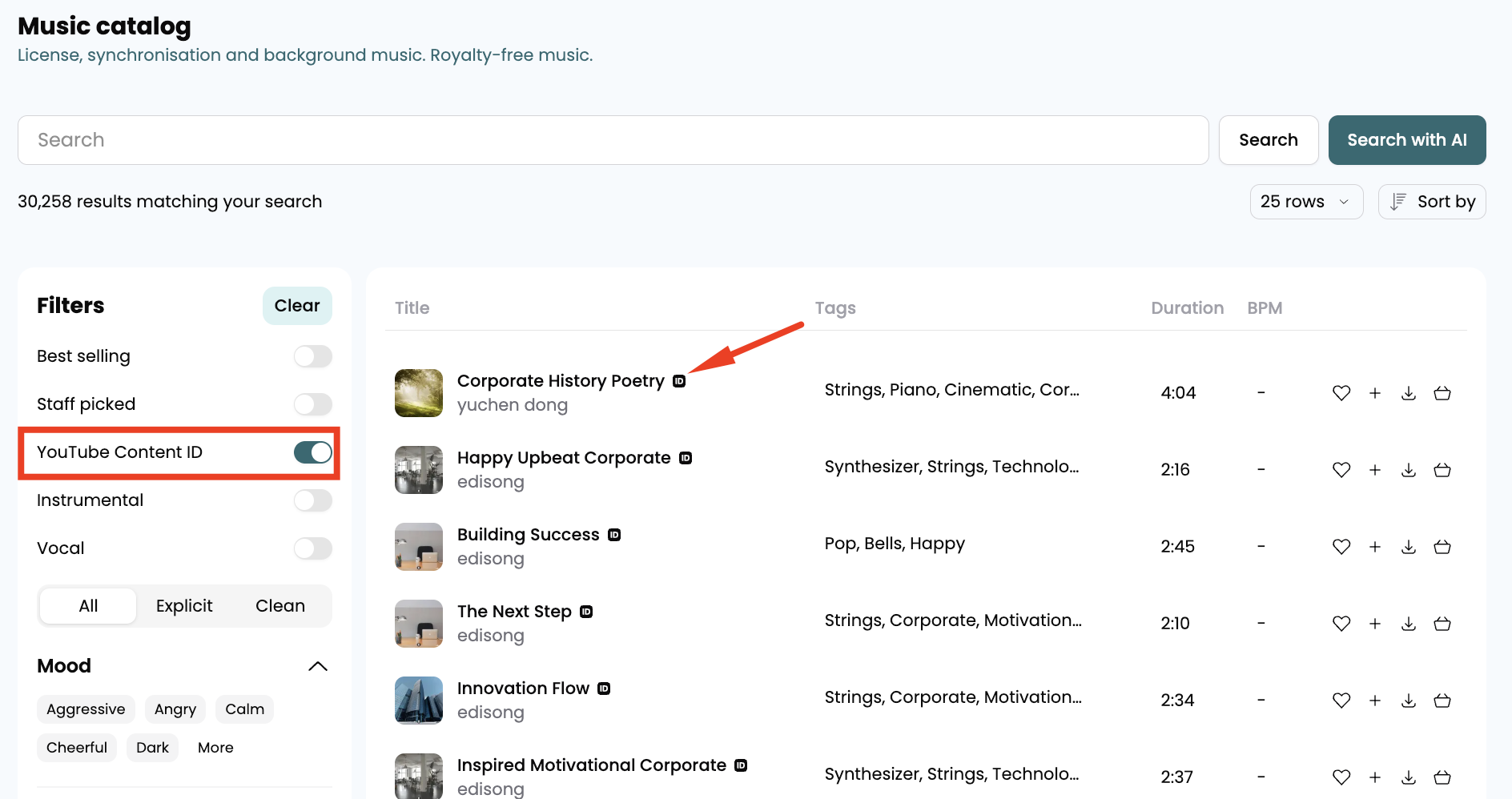
The tracks registered with Content ID via Jamendo will be marked with a small ID icon next to the track title.

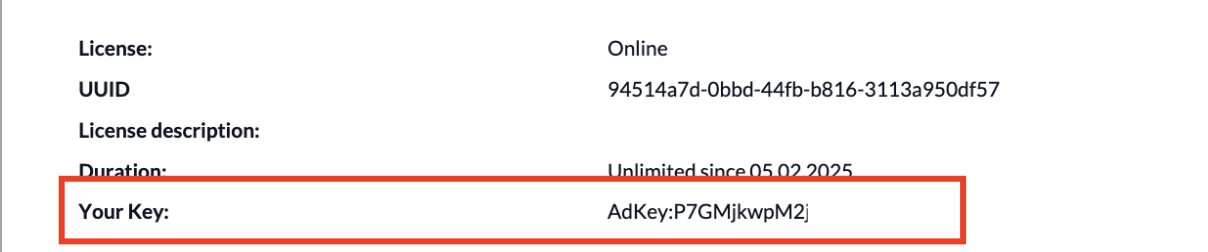
If you license this type of track, the license certificate will contain an AdKey that you need to add in the description and tags of your video.
In this case, you might receive a copyright claim if:
- You have not added you AdKey.
- Our ContentID service is unable to detect your AdKey.
What to do if you get a Copyright Claim?
- Dispute the Copyright Claim via YouTube Studio.
- Contact us so that we can help release the copyright claim from our side.
- Make sure to add the AdKey in the description and tags of your video.
The artist is using Content ID via a Third-party Provider
Tracks that do not display the ID icon next to their title on the Jamendo Licensing website are not registered with Content ID through Jamendo. This could mean that the artist is using a different third-party provider for Content ID, which means that licensing such tracks could still result in a Copyright Claim.
What to do if you get a Copyright Claim?
- Dispute the Copyright Claim via YouTube Studio.
- Contact us so that we can get in touch with the artist and help resolve the issue on your behalf.
Tracks Registered with Content ID via Jamendo
Opting for a track that is registered with Content ID through Jamendo may seem counterproductive, but licensing these tracks allows us to provide you with all the necessary tools to avoid Copyright Claims.
All tracks in the Jamendo Licensing catalog registered with Content ID via Jamendo are marked with a small ID icon, next to the title.
You can even filter tracks registered with Content ID in the filters section of the Music Catalog on the Jamendo Licensing website.
It is important to note that if the track you licensed from Jamendo Licensing is not listed in ContentID on Jamendo, the artist may have registered it with another provider. As a result, you could still receive a Copyright Claim. In such cases, please reach out to the Jamendo Support Team right away, and we will work with the artist to address the situation.
Add your AdKey
If you licensed a track registered with Content ID via Jamendo, your License Certificate will contain an individual AdKey. You can use the AdKey to prevent Copyright Claims as the Content ID system will be able to recognize the AdKey and verify your license
Before publishing your video on YouTube, make sure you add the AdKey in the description and tags of your video on YouTube.
If you have a subscription to the Jamendo Licensing Catalog, you can request an AdKey you can use across all your YouTube Channels. Please make sure to contact us so that we can generate an AdKey for you.
It is important to note that if the track you licensed from Jamendo Licensing is not listed in ContentID on Jamendo, the artist may have registered it with another provider. As a result, you could still receive a Copyright Claim. In such cases, please reach out to the Jamendo Support Team right away, and we will work with the artist to address the situation.
Need more help? Contact us.
If you have any questions or face any challenges, please feel free to contact us—we're here to help you every step of the way!